
Superhuman made email fast again. The J/K/E muscle memory, the polish — it reset what people expect from an email client, and Macro's email is modeled on its shortcuts because once you have flown through an inbox you cannot go back.
Yes, I know. Another email client.
But nothing seemed to bring everything together and be deeply integrated with the rest of your workspace — your ticketing system, your internal team chat, your CRM. A customer bug report should become a task. A confusing thread should be shareable with your team without a screenshot. Superhuman is a beautiful client on top of Gmail, and that is also its ceiling: one kind of account, rate-limited by Gmail's API, walled off from where the rest of your work happens.
Macro brings all of your email into its own database and puts it in the same @linked workspace as your messages, tasks, docs, calls and CRM.
What Superhuman taught the industry about email speed, and why a client on top of Gmail can only go so far.
At a glance
| Macro | Superhuman | |
|---|---|---|
| What you get | Email inside a full workspace | A fast standalone email client |
| Speed | Superhuman-fast, on your own data | The original speed benchmark |
| Backend | Your own database, full backfill | Throttled by Gmail's API |
| Multi-account inbox | Yes, unified search and triage | One account at a time |
| Share to your team | Native, into channels | Forward or screenshot |
| AI drafting from unified memory | Yes | Mailbox-only AI |
| Signal vs Noise triage | Yes | Split Inbox (manual rules) |
| Multitasking | Splits, Outlook-level | Limited |
| Chat and channels | Yes | No |
| Tasks | Yes (linked to email) | No |
| Calls | Yes (recorded, transcribed) | No |
| CRM | Yes (auto-updating) | No |
| Onboarding polish | Self-serve | White-glove |
| Shared team memory | Yes, across every surface | No |
| Open source | Yes, end to end | No, closed box |
| Pricing model | Flat, by company stage | Per seat, premium |
Superhuman-fast, without Gmail's API in the way
Speed is the whole reason Superhuman exists, so it is the first thing we had to match. J and K to move, E to mark done, no mouse required.
The difference is underneath. Superhuman is ultimately a client for Gmail's API, which is rate-limited. Macro backfills everything into our own database, so we can do split-second search, vectorization and AI across all of your inboxes without being bottlenecked by anyone's rate limits. Same feel on the surface, different machine under the hood.
All of your accounts, one inbox
Most people who care about email have more than one address — work, personal, a shared support alias — and that is exactly where a Gmail-bound client gets awkward. Macro brings every account into one inbox with unified search and unified triage.
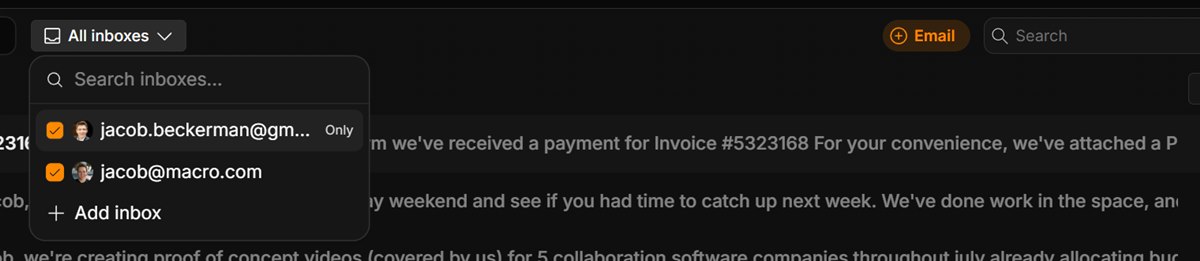
One inbox across every account — filter to a single inbox or triage them all at once.
Combined with the J/K/E shortcuts, this is what lets you fly through all of your accounts faster than any other client: one pass, every inbox, done.
Signal vs Noise
Macro separates Signal — the email that matters — from Noise, the stuff that does not need to be first in line. The AI does the sorting for you, so the promo blasts and login codes stay out of the way and what's left is mail worth reading.
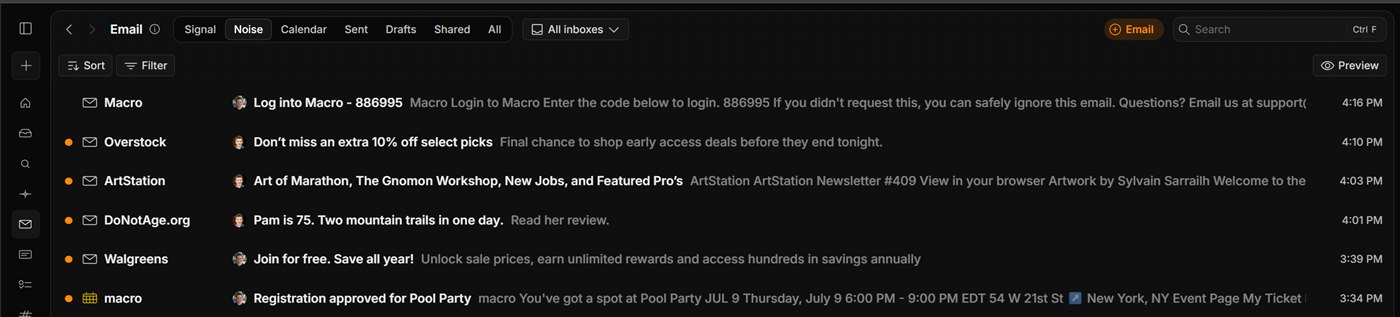
The Noise tab: still there when you want it, never in the way. Superhuman's Split Inbox does something similar with rules you maintain by hand.
Share an email without a screenshot
Everyone has done the awkward dance: screenshot a Gmail thread, paste it into Slack, spend the next hour answering "what happened after this?" Macro's sharing system kills that ritual. Share an email straight into an internal channel and recipients get the full chain — including emails that arrive in the future — so the context is preserved instead of frozen at the moment you grabbed the screenshot.

Hit Share on any thread and send it to a channel — members get the whole conversation, past and future.
Forwarding, which is Superhuman's answer, is a copy: it loses the thread's future and drops it into a different app. Sharing in Macro keeps the email an email, linked to the channel. And because it works across the multi-account inbox, you can selectively share important mail from any account with your team.
An email is one block away from everything else
In Superhuman, an email is an email, and then your job continues in some other app. In Macro, every email has actions on it: turn it into a task with one click (it stays linked to the thread both ways), or hand it to the agent.
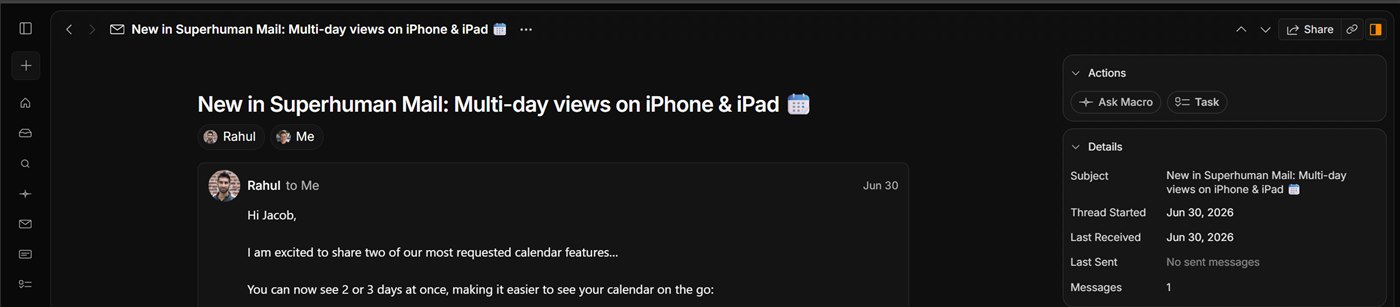
Every email carries its actions with it — create a linked task or ask the agent, right from the thread. (Yes, that's Superhuman's newsletter. We read it too.)
The same works in reverse: @-mention an email from a doc, a task or a channel and both sides know about each other. Your CRM also updates itself from the mail flowing in and out, one block away instead of in a separate tool nobody opens.
AI drafting from unified memory
You can draft and send email right from the agent. It drafts from its unified memory of you and your team, plus run-time tool calls — searching your prior emails with that person, or the emails your teammates have exchanged with them in your CRM. You iterate with it and hit send without leaving the agent.
Superhuman has well-regarded AI features, but they reason over your mailbox. Macro's agent reasons over your mailbox plus your chat, docs, tasks, calls and CRM — a different amount of context to draft from.
Multitasking like Outlook
Power users do not read one email at a time. Macro's splits let you draft multiple emails and run multiple searches side by side — basically as good as Outlook Desktop, which is still the gold standard in multitasking, without giving up the speed of a modern client. Gmail and Superhuman both make this awkward in a browser tab.
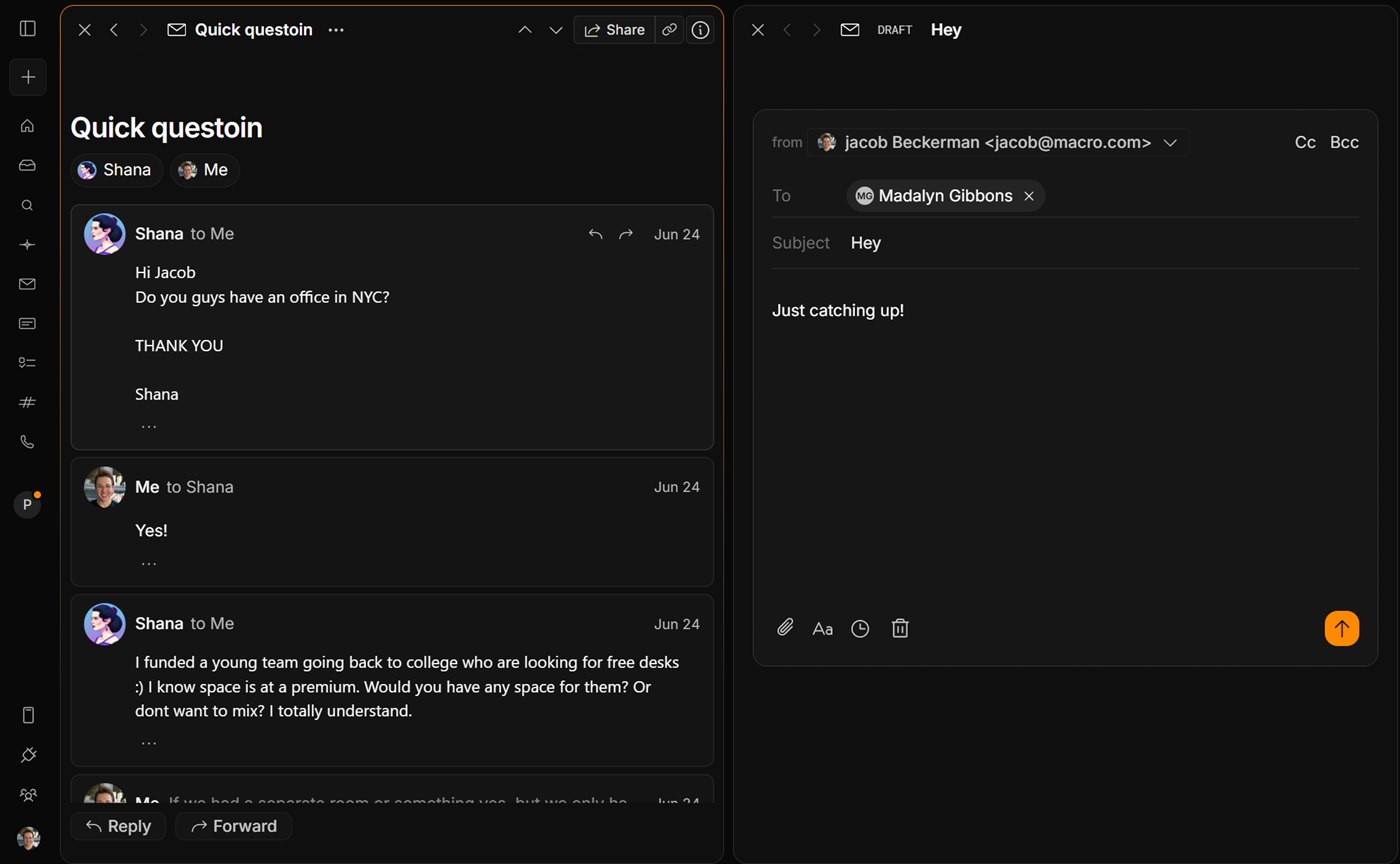
Read a thread in one split while you draft in another — no tabs, no popped-out compose windows.
FAQ
Is Macro as fast as Superhuman?
That is the design goal, and the shortcuts are modeled on Superhuman's: J/K to navigate, E to mark done. Underneath, Macro backfills your mail into its own database, so search and AI are instant across every account instead of bounded by Gmail's API.
When would I keep Superhuman instead?
If all you want is the most polished single-purpose email client — famously hand-held onboarding, years of refinement — and you have no interest in unifying the rest of your stack, Superhuman is a fantastic product. Macro's email is one block in a suite, not a company devoted entirely to your inbox.
Does Macro work with Gmail?
Yes — connect your Google accounts in about 30 seconds. The difference is that Macro backfills your mail into its own database rather than acting purely as a live client on Gmail's API, which is what makes search and AI instant across everything.
Is Macro open source?
Yes, end to end: github.com/macro-inc/macro. Your data stays open and portable and the app is extensible. Superhuman is closed source.
How do I switch?
Run Macro alongside Superhuman for a week: connect your accounts, share a few real threads to your team, and feel what a multi-account inbox on your own database is like before you decide what comes across.
For keyboard shortcuts, the multi-account inbox, sharing and AI drafting, see the Macro email documentation.